How to put a picture in your blog
You may want to put a picture in your blog; we'll guide you through it with a simple explanation. Note: if you've paid attention to some blogs, you'll have noticed that many of the pictures show up as empty boxes. This happens because upload centers (sites where you upload pictures) delete your picture from their servers after a short while. In this post we'll teach you a way to make sure your pictures never get deleted. First go to the PersianGig website (an Iranian file hosting service) and create a free account.
After you've created your account and entered its management area, in the "Web Space" section you have something similar to Windows Explorer. With it you can organize and manage the files you upload. Click on the picture so it opens in a new browser page, then right-click on the picture and choose "Save Image URL" to copy the picture's address. Now come to your blog. Go to your blog, and in the new post section choose the insert image option from the toolbar. Then paste the address you copied earlier into the relevant field and press the OK button.
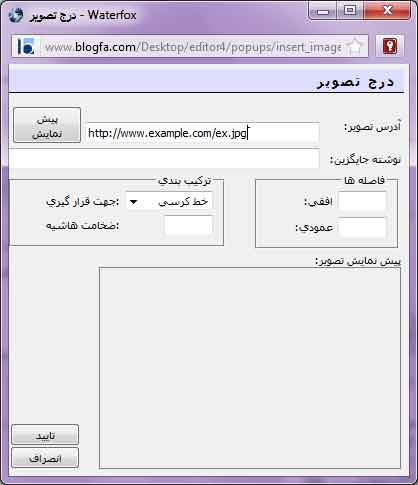
Now the picture is in your blog. To resize the picture, just click on it once and then use the white squares around it to resize it, like this:
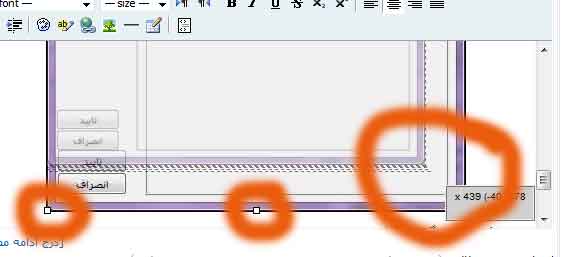
Keep in mind that some browsers don't support this feature; the recommended browser for doing this is Firefox. Large, high-quality pictures look very bad on a blog page, so be sure to resize them to fit your template. You can also use the Save For Web option from the File menu in Photoshop to save pictures with a smaller file size so they load faster on the internet.