Easily remember how to use Linux commands
Hello dear friends, I hope you're well.
Today in this post I want to teach you a really neat Linux trick.
It may have happened to you that when you want to use some commands on the Linux command line, you forget what parameters you needed to give them or in what order.
For example, suppose we want to use the tar command on the Linux command line, but we forget how to use it!
One way we can go is to read the help files, and another is to search the internet.
But a simpler way I want to tell you about is that we can use a website called cheat.sh, which lets us see a few simple examples with explanations of the command we want, very quickly and right there on the command line, without needing any program.
To fetch the information, we can use a tool like curl, which is available on most Linux systems.
For example, to see a few simple examples with explanations of the tar command in Linux, we can enter the following command on the command line:
curl cheat.sh/tar
As you can see, using this method is very easy and can save us a lot of time.
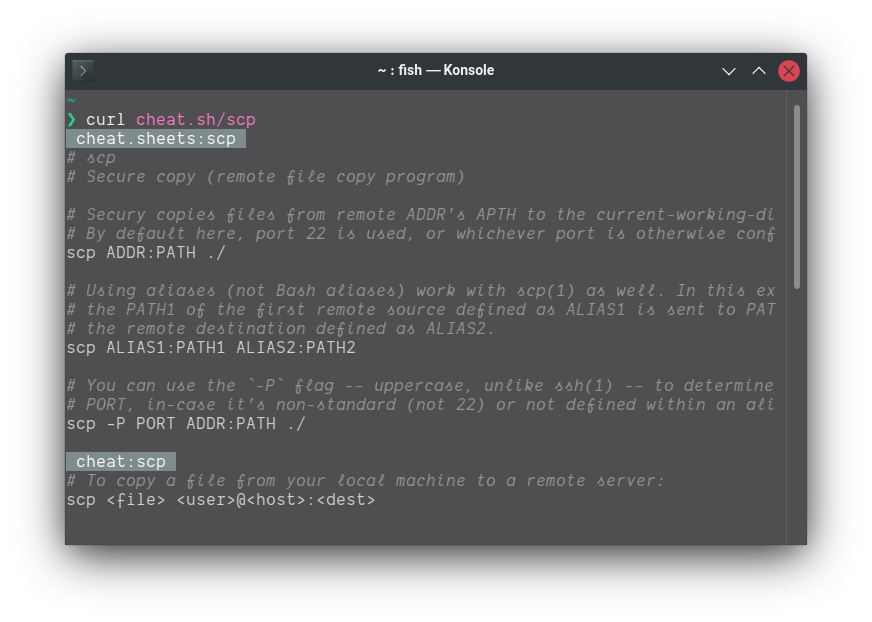
You can use this method for any command; in the picture below we see that I used it to see a few examples of the scp command:
I hope this post was useful for you and that you enjoyed it.
Good luck and success