Changing the background of MPC
Hi everyone. Surely you're familiar with Media Player Classic, or MPC. This very powerful program can play all audio and video formats and also adds this ability to other players on your computer. In this post I wanted to tell you how to change the picture behind it.
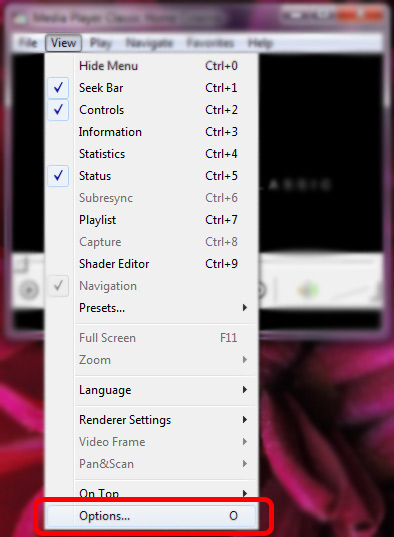
First open the program as in the picture below and choose Options from the View menu:
Well, now in the window that opens, as in the picture below, choose Logo on the left, select the External radio button on the right, and give it the address of your picture:
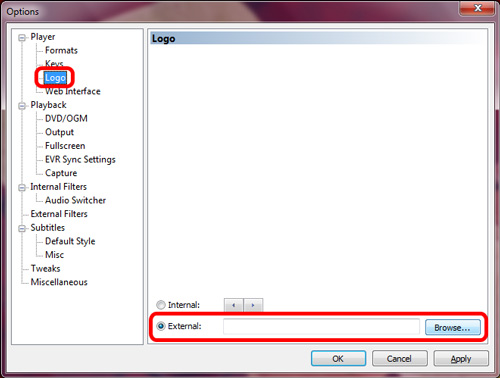 After you give it the logo address, the picture changes. Try to give the program a picture in jpg format with a black background so it blends with the black behind the program.
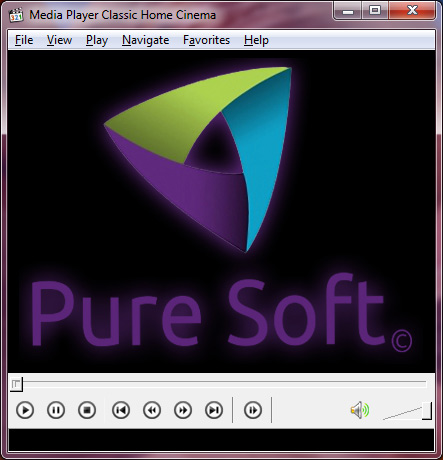
Here's an example where I put the PureSoft logo:
You can download the latest version of this program from the link below.