Speeding up Photoshop
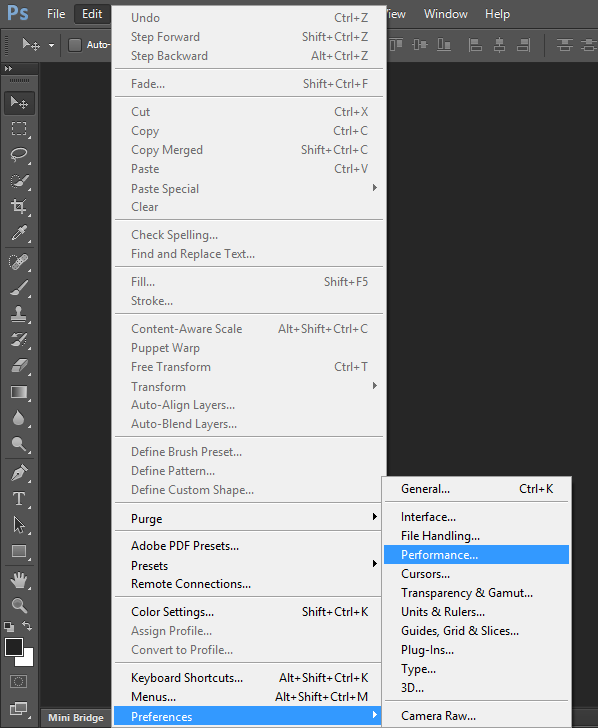
Hi everyone. One problem you may sometimes run into is that while working with Photoshop, you feel it has slowed down and isn't working well. Today I'll teach you a trick so you can use every bit of your computer's power to run Photoshop. As in the picture below, go to Preferences from the Edit menu and then choose Performance:
Now drag the slider I've circled in red all the way to the end so Photoshop can make maximum use of the RAM:
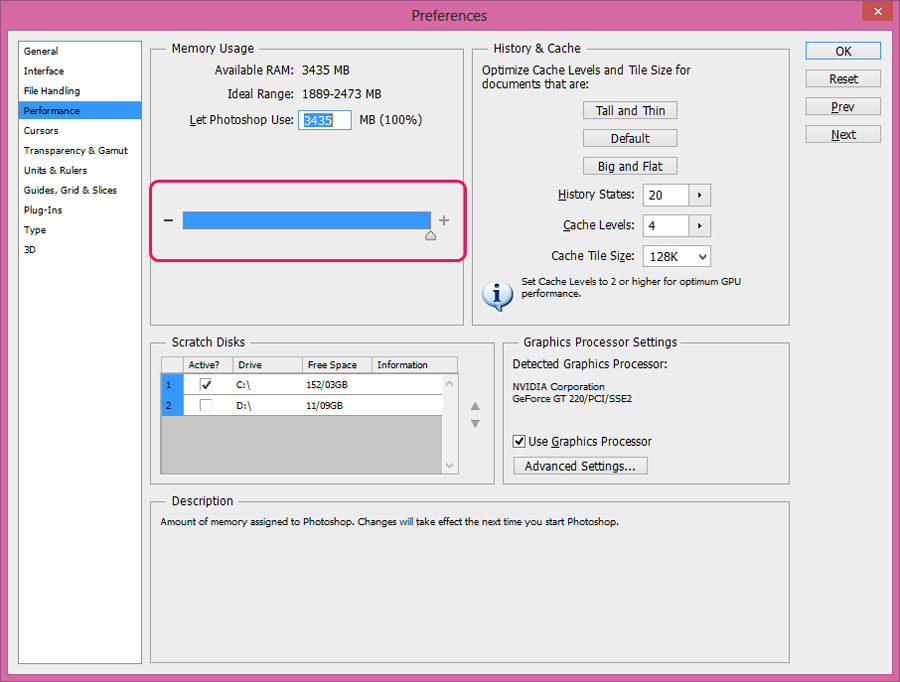
Of course, don't think it'll use all the RAM! Because the operating system won't allow it. It only uses the RAM available to it; for example, in this picture it has 3435 megabytes available, and the rest of the RAM, around 565 megabytes, belongs to the operating system.
I hope you enjoyed this tutorial...