How to stop programs from opening when the computer turns on
Hi. You may also have run into this problem: when you turn on your computer, lots of programs open one after another and drive you crazy! These programs do this through the Windows registry. Some programs let you prevent this from their own settings, but many others don't...
To see the list of programs that run when your computer turns on, type msconfig in the Run box and press Enter:
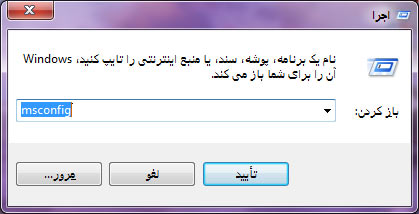
After running this command, a window called System Configuration opens.
Go to the Startup tab, as in the picture:
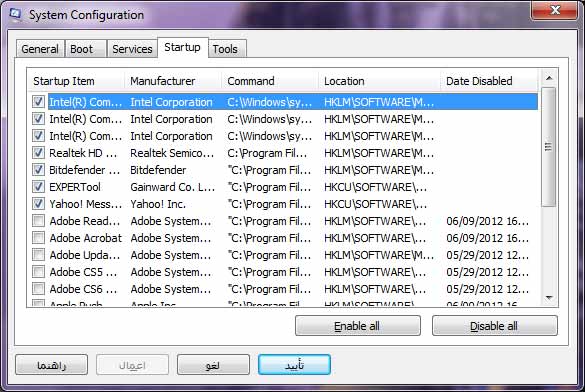
Now you can see all the programs that open when Windows starts, and by unchecking them you can stop them from running. Good luck...