Disabling the password prompt in Windows 8
Hello dear friends
In this post I want to share a very simple way to disable the password prompt in Windows 8.
As you know, in this version of Windows, when you sign in with a Microsoft account you must enter your account password, which is very tiresome, especially for people who have a home computer and don't need a password on it.
Now we want to stop the password prompt with a very simple trick.
Of course, note that this method works when your system has only one user, because if there's more than one user on the system, Windows doesn't know which one to log in to.
To disable the password:
First open the Run box by holding the Windows Logo + R keys at the same time
and in this box type netplwiz and press Enter.
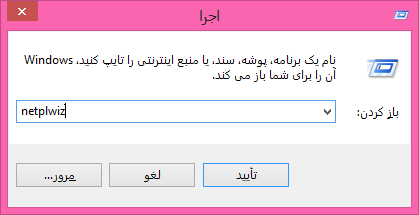
Now you'll see a box open. In this box, uncheck Users must enter a username and password to use this computer. and press OK.
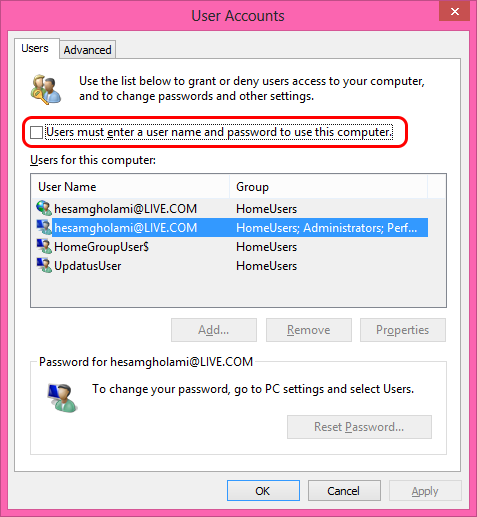
Now when you restart the system, you won't be asked for a password anymore and it'll log in by itself easily.
I hope you enjoyed this tutorial and found it useful...
Source: Windows8 Core