Improving font quality in Windows XP
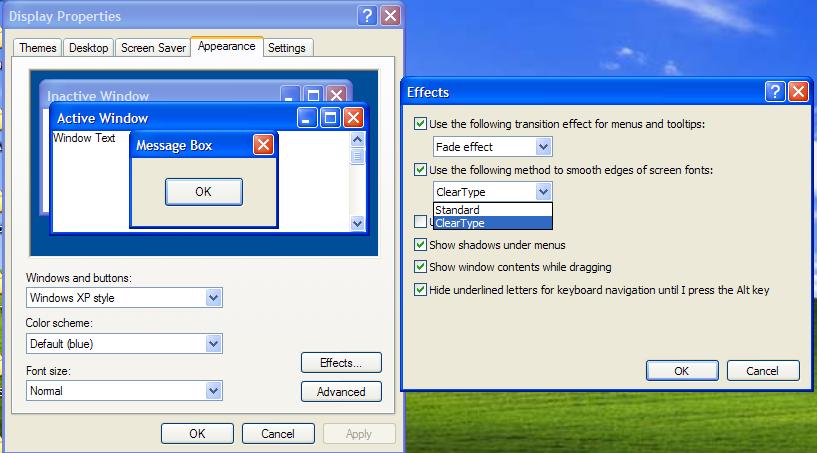
Hi to all my friends. You may not have noticed, but when you look closely at Windows XP's fonts, their quality is very low; we just don't notice because we're used to them. But when you look at Windows 7 and compare the fonts of these two versions of Windows, you see the difference. To fix this in Windows XP, right-click on the desktop and choose Properties. Now go to the Appearance tab and click the Effects button.
Click the second drop-down and choose ClearType, as in the picture below:
 Well, now press OK and you'll notice the change in the text. These two pictures were taken before and after choosing this mode.
Before:

After:

As you can see, in the second picture the file name has better quality. I hope it was useful. Good luck...