How to subscribe to the website's newsletter
To find out as soon as a new post is published on the website, a very good way is to subscribe to the site's newsletter. This way you don't need to visit the website to find out whether a new post has been published; instead, when a new post is published, an email is sent to you letting you know that a new post has been published on the website, and it even shows you its title and part of it. So the newsletter is a good way to save your time and also stay informed about the website's new posts.
To create the Hesam website's newsletter, I've used one of Google's services called FeedBurner. This tool smartly sends you an email when a new post is published on the website. So you need to register your email address to have the site's new posts sent to you. Below you can see, step by step, how to subscribe to the newsletter:
First you need to go to the Hesam website's newsletter subscription page on FeedBurner, which you can get to by clicking the button below:
Subscribe to the Hesam website's newsletter
A page like the picture below opens for you:
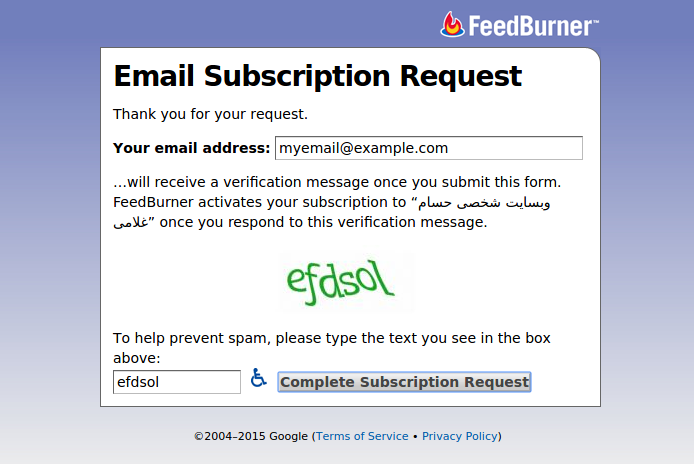
In the first box you need to enter your email address, where it says [email protected]. So be careful not to mistype your email address, and also remember that an email address doesn't start with www. After entering your email, you need to type the colored text shown to you into the small box at the bottom left. On this page the text shown to us is efdsol, so we type that into the small box at the bottom left.
After doing these things, we click the Complete Subscription Request button at the bottom.
Now a page like the one below is shown to us:
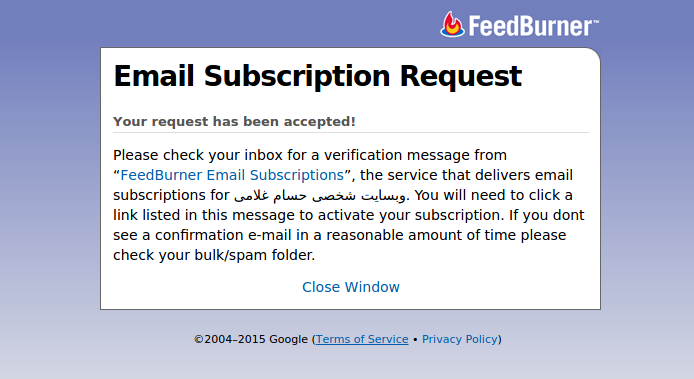
Here it tells us that our request has been registered successfully; now, to confirm that we want to receive the Hesam website's newsletter, we need to go to our email. So we're done with this page and can click the Close Window link at the bottom of the box to close this tab.
Now we need to log in to our email and look at the email FeedBurner has sent us. For this example I used a Yahoo email, but you may have any other email, like Google, Microsoft and so on. It doesn't matter what email you have; you can subscribe to the newsletter with any email.
Now we go to our email inbox and see that an email has arrived from FeedBurner Email Subscriptions with the subject ...Activate your Email Subscription to.
We open this email:
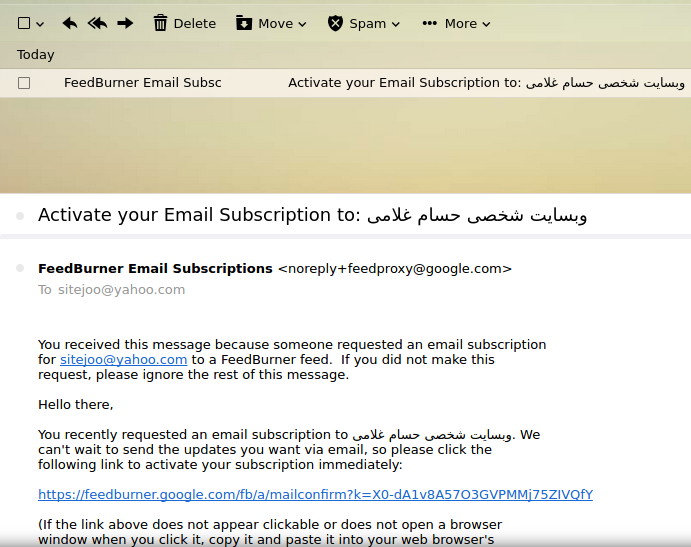
As we can see, this email is telling us that we requested to receive the Hesam website's posts by email. To confirm our request, we just need to click the link it has given us, the one that starts with https://feedburner.google.com and is blue. It's also worth mentioning that if the link isn't clickable, that is, when you click on it nothing happens, just copy the link text and paste it into a new browser tab to, in a way, simulate clicking the link. So we click the link, and as you can see in the picture below, we successfully subscribe to the newsletter:
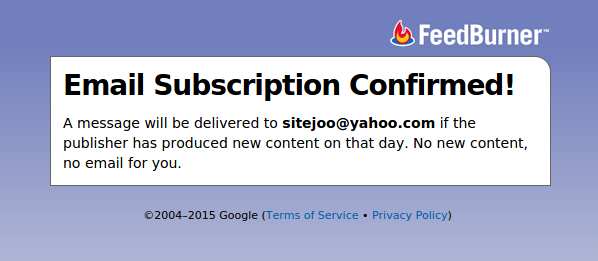
Once this page is shown, we've subscribed to the Hesam website's newsletter, and from now on every new post on the Hesam website will be sent to our email.
FeedBurner is run by Google and is a trustworthy service. You can be completely sure that the Hesam website's new posts will be sent to your email.
I hope this tutorial helps you subscribe to the Hesam website's newsletter easily.
All the best