Making Photoshop CS6 look like CS5
Hi to all my dear friends, I hope you're having a good time. Another Photoshop topic came to mind, and I thought it would be worth sharing. Maybe you enjoyed the old gray look of Adobe products more and don't like this black look of Photoshop CS6. In this post I'll teach you how to make Photoshop gray like before. Personally, I like this black color more than that gray, but it's good to know:
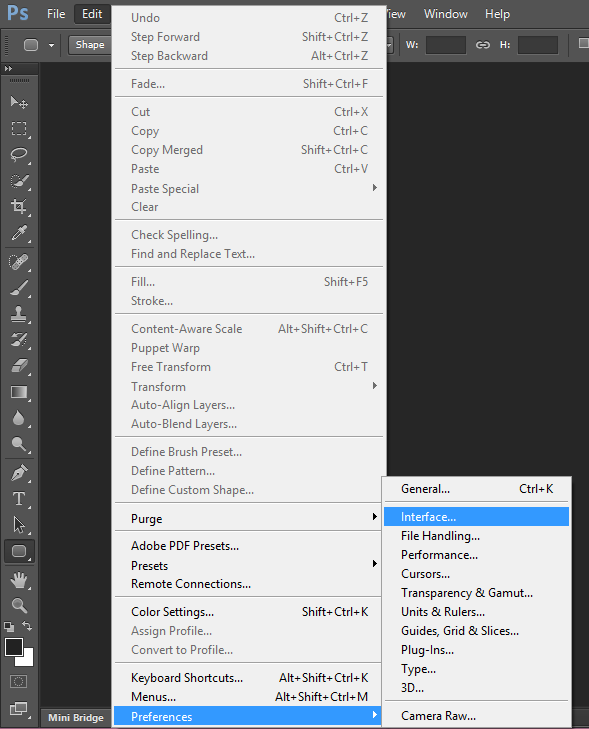
As in the picture above, choose Interface from the Preferences menu.
In the window that opens, you'll see a few colors you can choose from:
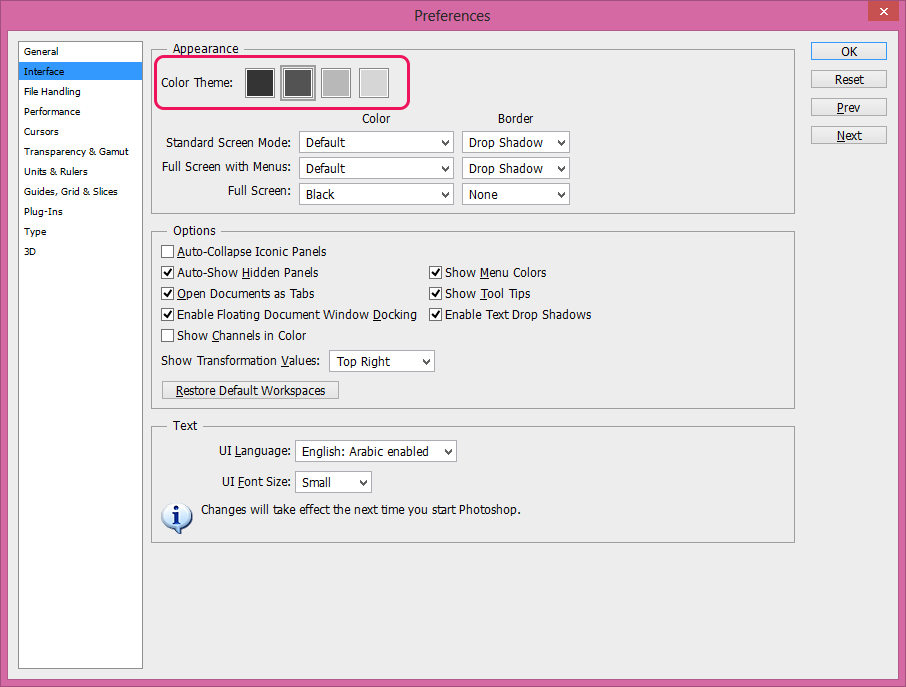
You can even make it darker than it already is!
Good luck...