What is a cloud service and how do we use it?
Hi to all my good friends. I hope you've started a good summer and have had a great time so far, now that we're in early July. In this post I want to teach you how to use the cloud. It may have happened to you that you buy a new phone and say: ugh, I have to build a 200-person phone book again. Or you reinstall Windows on your computer, run the browser, and as you're typing facebo you remember that this isn't your old Windows browser that completes addresses by itself, because no addresses have been saved in it yet. Or...
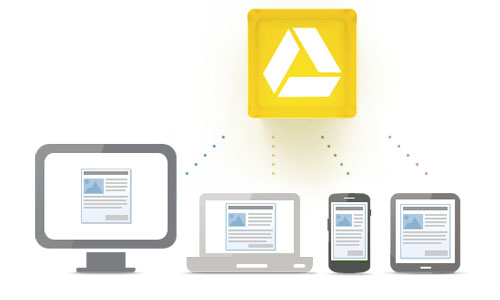
Or you download a funny clip on your computer and forget to put it on your phone; when you go to see your friends you remember the clip, but you're far away from your computer! All of these can have a solution: all your devices can be unified, and this unification happens through the cloud. So what is this cloud? The cloud is a kind of storage on internet servers that belongs to you, and you can set things up so that several of your computing devices (such as computer, mobile, tablet, laptop, notebook, etc.) use this space at the same time, and if this space is changed by one of these devices, the other devices get the same change.
There are many cloud systems, but the topic of my discussion is Google's cloud system, called Google Drive.
 In this system, which is part of the features of your Google account, you can synchronize, or Sync, all your personal files with all your computing devices. For example, suppose you have a Gmail account with the address [email protected]. Now you install the Google Drive program on your computer, or go directly to the Drive.google.com website, and upload some files to it (for example, that funny clip!). Then you pick up your phone and go out, suddenly you remember that file, and with the Google Drive app you've installed on your phone (or even through its website), using that Gmail account, you can download those files to your phone and show them to your friends! Now suppose that, God forbid, your computer's hard drive breaks! Then this data counts as a kind of backup that never gets lost. Google's service is also cloud-based in some areas without Google Drive. For example, if you have an Android phone and add your Gmail account to it, you can sync your phone book, calendar entries, browser bookmarks, etc. with your Google account. For example, you have an Android phone, and instead of saving the phone book in the phone's memory you've saved it in your Google account; now you sell this phone and buy another one, and as soon as you add your Google account to it, it sets up your phone book just like the previous phone. Or, for example, you browse the web with Google Chrome and have signed in with your Google account; this causes the browser's bookmarks and settings to be saved in your Google account, and if you reinstall Windows, when you install Google Chrome and sign in to your account, all those bookmarks and settings come back. Services like these keep data from being lost and make it always recoverable. I recommend you definitely try it.