Creating a photo gallery block effect with CSS3
Hello dear friends
In this post I've prepared a very nice piece of CSS code for displaying a gallery block or anything else. I hope you like it.

In this tutorial we use CSS3 for the effects and HTML for the display. I wrote all of this code myself, and I used DreamWeaver to write it, which I recommend you use too.
In the end, our result will look like this:
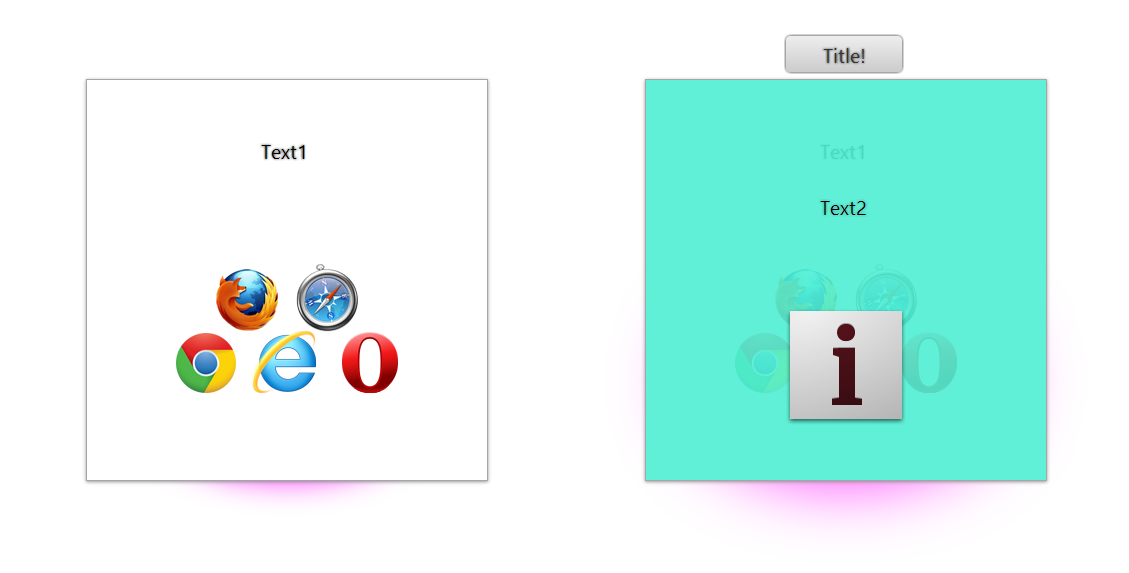
First, let's point out some features of the normal block (the left block in the picture above):
This block has a thin shadow around it:
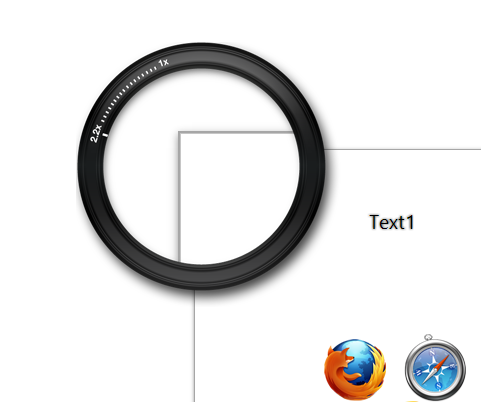
Inside it you can use HTML elements such as images, links, text and so on.
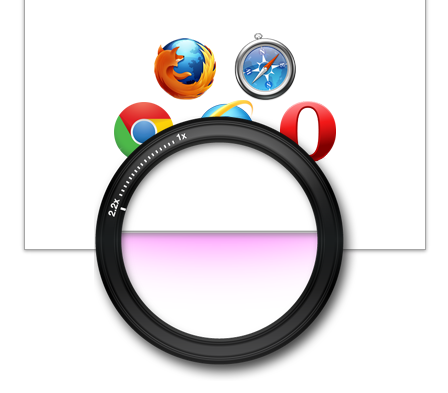
There's also a very nice glow under the block:
If you look at the first picture, you'll notice some changes that happen when you move the mouse over the block. (The left block is in its normal state and the right block is with the mouse held over it)
On the front side we show a green layer over the lower part so we can display the contents of the top part better.
We can also put effects on both parts and show a tooltip:

Also, the glow at the bottom of the block gets stronger:

Well, now we want to write the code.
Let's start with the HTML:
<!doctype html>
<!--
Code by : Hesam Gholami
Website : http://hesam.org
11/05/2013 - 14/08/1392
-->

Block Hover Effect

<br /><br /><br /><br />
	<!--Fade Effect Without Zoom-->
<div class="block">
<div>
        	<br /><br />
            Text1
            <br /><br /><br /><br />
            <img src="browser_support.png" alt="Browsers" />
        </div>
<div class="over effect1" data-title="Title!">
            <br /><br /><br /><br />
            Text2
            <br /><br /><br /><br />
            <img src="info_icon_128.png" alt="Info" />
        </div>


    </div>

    <!--Scroll Effect Without Zoom-->
<div class="block">
<div>
        	<br /><br />
            Text1
            <br /><br /><br /><br />
            <img src="browser_support.png" alt="Browsers" />
        </div>
<div class="over effect2">
            <br /><br /><br /><br />
            Text2
            <br /><br /><br /><br />
            <img src="info_icon_128.png" alt="Info" />
        </div>


    </div>

    <!--Fade Effect With ZoomIn-->
<div class="block">
<div class="zoomin">
        	<br /><br />
            Text1
            <br /><br /><br /><br />
            <img src="browser_support.png" alt="Browsers" />
        </div>
<div class="over effect1" data-title="Title!">
            <br /><br /><br /><br />
            Text2
            <br /><br /><br /><br />
            <img src="info_icon_128.png" alt="Info" />
        </div>


    </div>

    <!--Scroll Effect With ZoomIn-->
<div class="block">
<div class="zoomin">
        	<br /><br />
            Text1
            <br /><br /><br /><br />
            <img src="browser_support.png" alt="Browsers" />
        </div>
<div class="over effect3">
            <br /><br /><br /><br />
            Text2
            <br /><br /><br /><br />
            <img src="info_icon_128.png" alt="Info" />
        </div>


    </div>


    <!--Fade Effect With ZoomOut-->
<div class="block">
<div class="zoomout">
        	<br /><br />
            Text1
            <br /><br /><br /><br />
            <img src="browser_support.png" alt="Browsers" />
        </div>
<div class="over effect1">
            <br /><br /><br /><br />
            Text2
            <br /><br /><br /><br />
            <img src="info_icon_128.png" alt="Info" />
        </div>


    </div>


    <!--Left Scroll Effect Without ZoomOut-->
<div class="block">
<div class="zoomout">
        	<br /><br />
            Text1
            <br /><br /><br /><br />
            <img src="browser_support.png" alt="Browsers" />
        </div>
<div class="over effect3">
            <br /><br /><br /><br />
            Text2
            <br /><br /><br /><br />
            <img src="info_icon_128.png" alt="Info" />
        </div>


    </div>
<p><a title="See Article in Hesam Website" href="http://go.hesam.org/cssblockhover">See Article in Hesam Website...</a></p>
As you can see, I've created six blocks to show different effects on them.
Now let's look at the CSS:
First we set up the body and the block:
/*
Code by : Hesam Gholami
Website : http://hesam.org
11/05/2013 - 14/08/1392
*/
@charset "utf-8";

body
{
	text-align:center;
	font-family:"Segoe UI", Tahoma, serif;
	font-size:20px;
}

.block
{

	display:inline-block;
	position: relative;
	width:400px;
	height:400px;
	margin:2cm;
	border:groove 1px rgba(100,100,100,0.37);
	background-color:#FFFFFF;
	text-shadow:0px 0px 3px rgba(70,70,70,1.00);

	-webkit-box-shadow:0 1px 4px rgba(142,142,142,0.91);
            box-shadow:0 1px 4px rgba(142,142,142,0.91);

}

.block .over
{
	z-index:1;

	opacity:0;
	position:absolute;
	left: 0px;
	background-color:rgba(79,240,212,0.9);
	text-shadow:0px 0px 4px rgba(70,70,70,.4);

}

.block:hover .over
{
	opacity:1;

}
Now we add the shadow under the block:
/* Shadow */

.block:after
{
	content:"";
    position:absolute;
    z-index:-1;
    -webkit-box-shadow:0 0 50px rgba(255,0,255,0.8);
    		box-shadow:0 0 50px rgba(255,0,255,0.8);
    bottom:0px;
	width:80%;
	height:50%;
    -moz-border-radius:100%;
    border-radius:100%;
	left:10%;
	right:10%;

	-webkit-transition:all .2s ease-in-out;
	-moz-transition:all .2s ease-in-out;
	-o-transition:all .2s ease-in-out;
	transition:all .2s ease-in-out;
}

.block:hover:after
{
    -webkit-box-shadow:0 0 114px rgba(255,0,255,0.8);
    		box-shadow:0 0 114px rgba(255,0,255,0.8);
}
After this, we write the tooltip code:
/* ToolTip */

[data-title]:after
{
    content: attr(data-title);
	padding: 4px 8px;
	color: #333;
	position: absolute;
	left: 140px;
	top: -14px;
	width:100px;
	overflow:visible;
	z-index: 3;
	-moz-border-radius: 5px;
	-webkit-border-radius: 5px;
	border-radius: 5px;
	-moz-box-shadow: 0px 0px 4px #222;
	-webkit-box-shadow: 0px 0px 4px #222;
	box-shadow: 0px 0px 4px #222;
	background-image: -moz-linear-gradient(top, #eeeeee, #cccccc);
	background-image: -webkit-gradient(linear,left top,left bottom,color-stop(0, #eeeeee),color-stop(1, #cccccc));
	background-image: -webkit-linear-gradient(top, #eeeeee, #cccccc);
	background-image: -moz-linear-gradient(top, #eeeeee, #cccccc);
	background-image: -ms-linear-gradient(top, #eeeeee, #cccccc);
	background-image: -o-linear-gradient(top, #eeeeee, #cccccc);

	-webkit-transition:all .4s ease-in-out;
	-moz-transition:all .4s ease-in-out;
	-o-transition:all .4s ease-in-out;
	transition:all .4s ease-in-out;

	opacity:0;
}

[data-title]:hover:after
{
    opacity:1;
	top: -44px;
}
We used data to show the tooltip, because if we used the title attribute, the browser would show its own default tooltip in addition to ours.
And finally we add the effects:
/* Effects */

.zoomin
{
	-webkit-transition:all .2s ease-in-out;
	-moz-transition:all .2s ease-in-out;
	-o-transition:all .2s ease-in-out;
	transition:all .2s ease-in-out;
}

.block:hover .zoomin
{
	-moz-transform: scale(1.5);
	-webkit-transform: scale(1.5);
	-o-transform: scale(1.5);
	-ms-transform: scale(1.5);
	transform: scale(1.5);
}

.zoomout
{
	-webkit-transition:all .2s ease-in-out;
	-moz-transition:all .2s ease-in-out;
	-o-transition:all .2s ease-in-out;
	transition:all .2s ease-in-out;
}

.block:hover .zoomout
{
	-moz-transform: scale(.5);
	-webkit-transform: scale(.5);
	-o-transform: scale(.5);
	-ms-transform: scale(.5);
	transform: scale(.5);
}

.effect1
{
	height:400px;
	width:400px;
	top:0px;

	-webkit-transition:all .2s ease-in-out;
	-moz-transition:all .2s ease-in-out;
	-o-transition:all .2s ease-in-out;
	transition:all .2s ease-in-out;
}

.block:hover .effect1
{
	height:400px;
	top:0px;
}

.effect2
{
	height:10px;
	width:400px;
	top:98%;
	overflow:hidden;

	-webkit-transition:all .5s ease-in-out;
	-moz-transition:all .5s ease-in-out;
	-o-transition:all .5s ease-in-out;
	transition:all .5s ease-in-out;
}

.block:hover .effect2
{
	height:400px;
	top:0px;
}

.effect3
{
	height:400px;
	width:0px;
	top:0px;
	overflow:hidden;

	-webkit-transition:all .5s ease-in-out;
	-moz-transition:all .5s ease-in-out;
	-o-transition:all .5s ease-in-out;
	transition:all .5s ease-in-out;
}

.block:hover .effect3
{
	width:400px;
}
After you add this code, the work is done and you can see the result!
If you look at the code closely, you'll see that although there are many lines, it isn't difficult code and can be understood easily.
I hope you enjoyed this post, and that you get creative, change it, and put the link in the comments so we can see it too.