Switching between programs with a beautiful effect in Windows 7
Hello friends. Today I wanted to tell you something really interesting about Windows 7 that many of you may know, but I thought some might not. Surely it has happened to you that you've opened lots of programs and windows, gotten lost among them, and kept mixing them up.
A very simple and sweet solution is to hold the (Windows logo + Tab) keys on your keyboard together, as in the picture below:
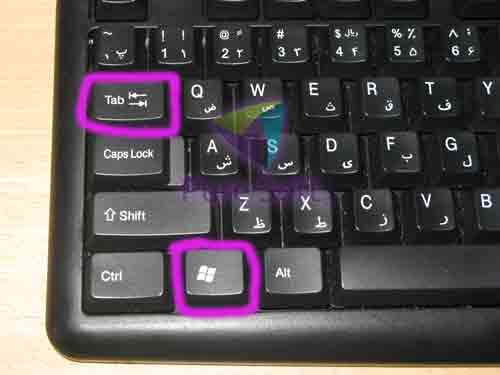
When you do this, all the windows are shown one behind another in 3D, and when you reach the window you want you can release these keys.
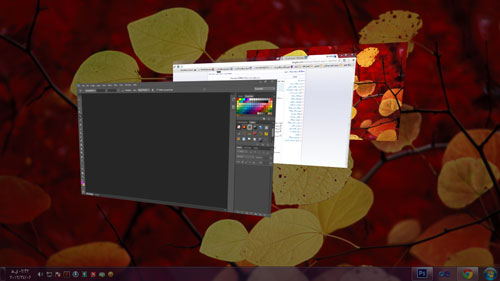
By holding the Windows logo key and tapping Tab you can go through them one by one. Also, by holding the Ctrl key while pressing the Windows logo key, you can keep this mode on. (I thank my dear friend, Mr. Javad Ghazaleh, for teaching me this last trick)
I hope this post was useful for you...